Delete in the App
Follow these three steps inside the Salah Guide mobile app. Account deletion is permanent and cannot be undone.
Open Settings
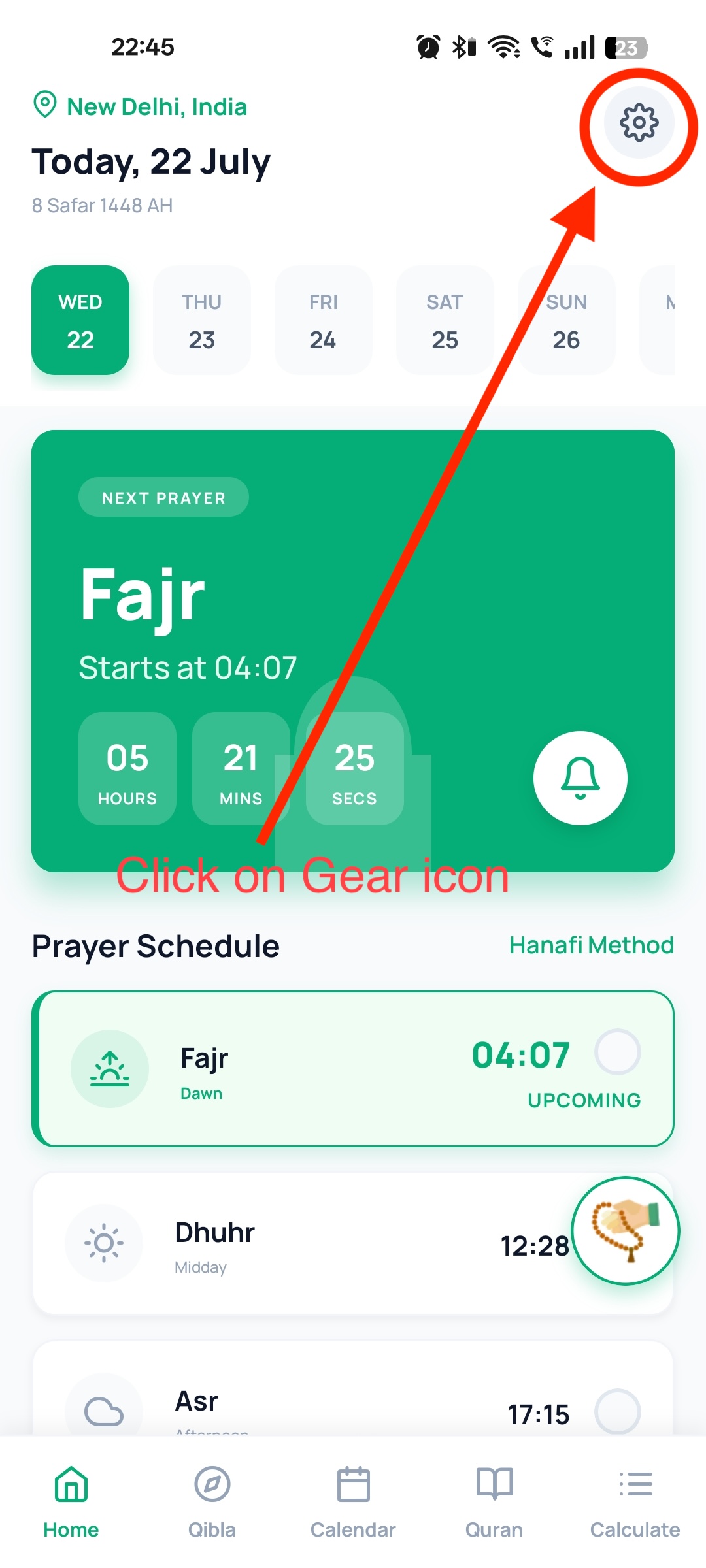
On the Home screen, tap the gear (Settings) icon in the top-right corner.
Choose Delete Account
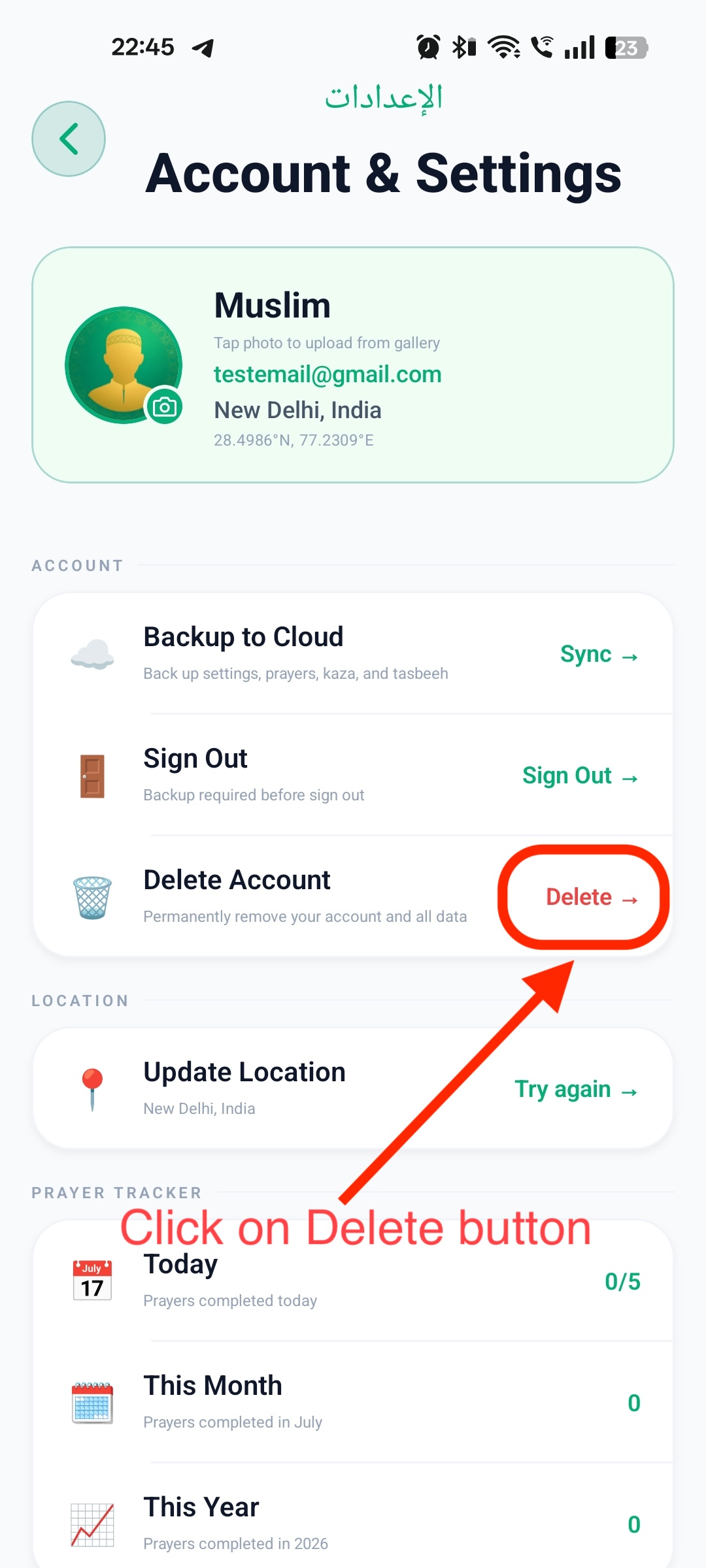
On the Account & Settings screen, under the ACCOUNT section, tap Delete → next to “Delete Account.”
Confirm Deletion
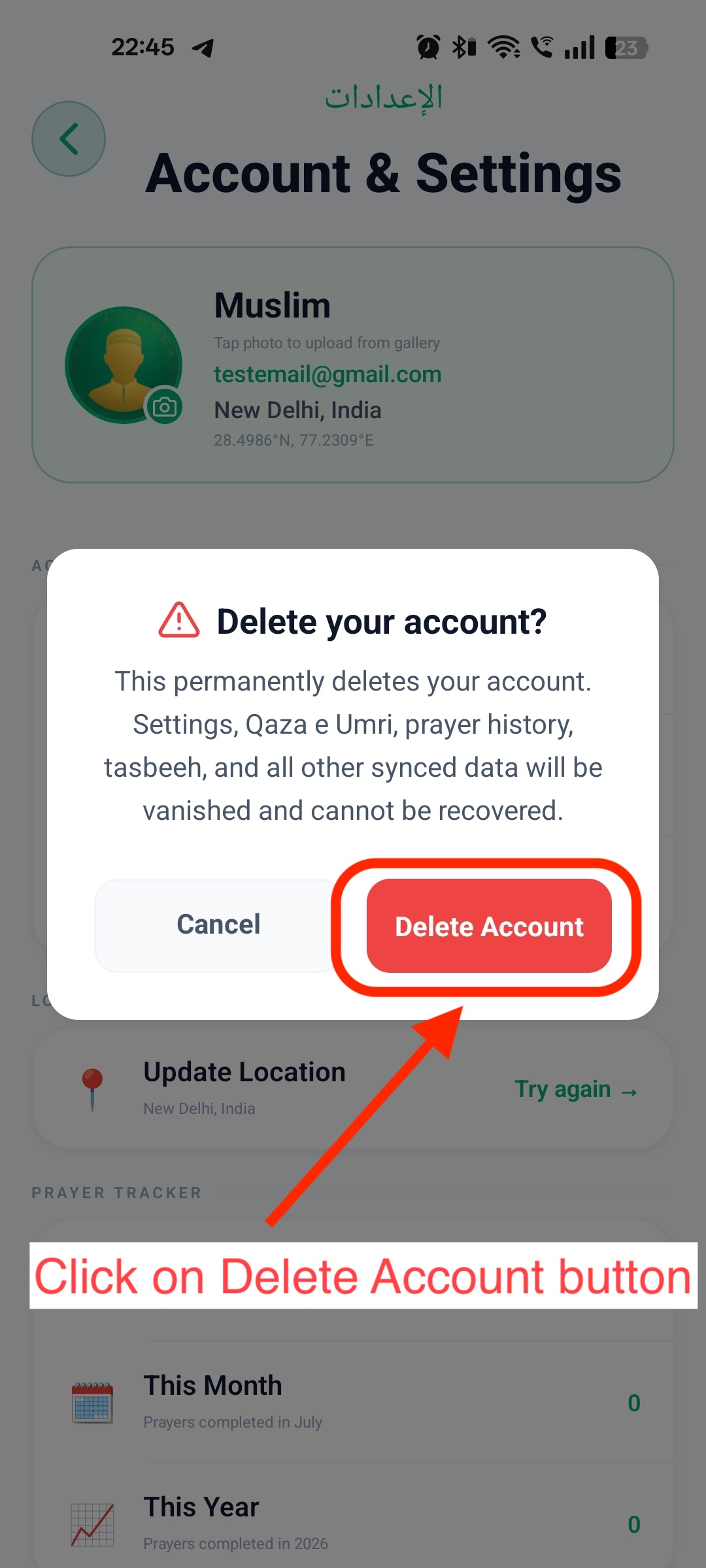
Review the warning dialog, then tap the red Delete Account button to permanently remove your account. Tap Cancel if you change your mind.
Request via Email
If you have uninstalled Salah Guide or cannot access the in-app option, email us to request account and data deletion.
- check_circleSend an email to ismuco2025@gmail.com
- check_circleUse the subject line: Account Deletion Request
- check_circleInclude the email address registered with your Salah Guide account
What Gets Deleted
When your Salah Guide account is deleted, the following associated data is permanently removed and cannot be recovered:
-
badge
Account profile Your name, email, and profile information linked to the account.
-
tune
Settings App preferences and configuration stored with your account.
-
history
Prayer history & Qaza e Umri Tracked prayer records and Qaza e Umri data.
-
spa
Tasbeeh & synced data Tasbeeh counts and all other cloud-synced content associated with your account.
Retention & Timing
In-app deletion
Deletion begins immediately after you confirm in the app dialog.
Email requests
We process account deletion requests within 7 days of receiving your email.
This action is permanent. Once your account is deleted, settings, Qaza e Umri, prayer history, tasbeeh, and all other synced data cannot be recovered.